
Safe fields
Role ID, official URL, submission time, application ID, status, next action, owner and due date.
Placement application status
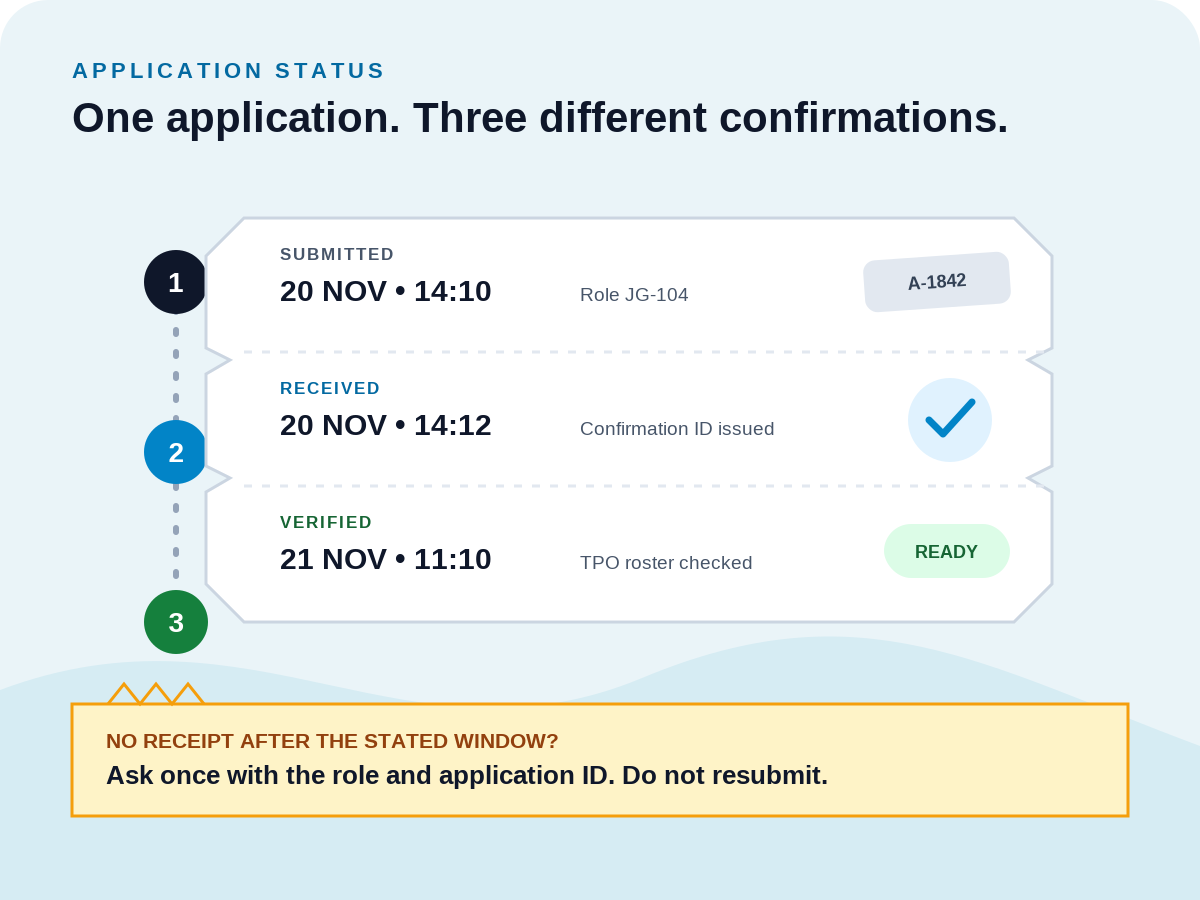
First, look for a confirmation ID, receipt email or one visible portal entry. If you have proof of submission but no acknowledgement after the stated window, send one receipt query with the role and application ID. Do not submit the same application again unless instructed.
Status definitions
Different employers and colleges use different labels. The evidence beside the label is more useful than the colour of a portal badge.
| Status | What it means | Evidence to keep | Next action |
|---|---|---|---|
| Draft | The form or profile is not submitted | Saved draft, if the system provides one | Finish required fields before the closing time |
| Submitted | You completed the send action | Submission time, role ID and confirmation screen or ID | Check for receipt and do not submit again immediately |
| Received | The authorised system or owner acknowledged the application | Confirmation email, application ID or portal receipt | Wait for the published review timeline |
| Needs correction | A field, document or eligibility answer needs action | The exact request and due time | Correct only through the authorised route |
| Verified | The placement cell or application owner checked the record for the next stage | Dated roster, verified status or written confirmation | Prepare for the stated round |
| Shortlisted | The employer selected the application for a named round | Round invitation with time and instructions | Confirm attendance and run the preflight |
| Closed | The application will not progress or the role has ended | Final status or dated closure notice | Update your tracker and move to the next role |
No acknowledgement
| Check | If yes | If no |
|---|---|---|
| Did the official form show a confirmation ID or success message? | Save it with the role ID and time | Check whether the form still shows a draft |
| Did the notice promise an email receipt? | Check inbox, spam and the address entered | Do not assume an email will arrive |
| Is the application visible once in the authorised portal? | Do not create a duplicate | Use the published support route if the receipt window has passed |
| Was this a TPO-managed registration? | Ask whether the college will publish a verified roster | Follow the employer's stated acknowledgement process |
| Has the stated acknowledgement window passed? | Send one concise query with non-sensitive identifiers | Wait until it passes unless the deadline is near |
Student checklist
Copy this receipt check
Subject: Application receipt check · role JG-104 · submitted 20 Nov
Hello, I submitted the authorised form for role JG-104 on 20 November at 14:10, but did not receive the acknowledgement described in the notice. The portal does not show a second application. Could you confirm whether application A-1842 was received, or advise the approved correction route? I have not resubmitted.
Use an application ID instead of sending marksheets, identity numbers or screenshots containing unrelated personal data.
TPO reconciliation
| Queue | TPO check | Outcome |
|---|---|---|
| Student says submitted; no receipt | Compare authorised registration export, application ID and submission time | Received, missing, duplicate or needs employer check |
| Duplicate entries | Match only inside the authorised system using the minimum necessary identifiers | Keep one valid record and note the resolution |
| Eligibility pending | Link to the current notice and the written clarification | Verified, not eligible or awaiting named owner |
| Correction requested | Confirm the correction channel and deadline | Corrected, unresolved or closed |
| Roster disagreement | Compare employer roster, TPO registration and dated changes | Publish one corrected version with time and owner |
Worked timeline
| Time | What happened | Recorded status | Action |
|---|---|---|---|
| Monday 15:42 | Form displayed “response recorded” but no email arrived | Submitted | Saved the role ID, time and confirmation screen |
| Monday 16:00 | Notice said receipts may take 24 hours | Submitted | Waited instead of sending again |
| Tuesday 16:30 | No email; TPO said the college would receive a consolidated list | Awaiting receipt | Sent application ID to the TPO queue |
| Wednesday 11:10 | TPO matched the ID in the employer export | Received and verified | Prepared for the stated assessment |
Protect your details
Frequently asked questions
Not until you have checked the confirmation screen, portal, notice and acknowledgement window. A duplicate can make reconciliation harder.
No. Receipt confirms arrival. Eligibility verification and shortlisting can happen later.
Use the owner named in the notice. For a TPO-managed drive, follow the placement cell route so one question can be reconciled against the roster.
Use the published acknowledgement or review window. If none exists, allow a reasonable working interval and send one precise receipt query before the deadline or next stage.
Next step
Use the off-campus application tracker to keep the receipt, follow-up date and outcome learning beside the role.